-
-
Chrome just keeps crashing… (and a bandaid fix)
I’m not sure if it’s OS X Yosemite 10.10.2 but I’m getting a little sick of this:
I noticed Chrome Canary seems to be a little less crash happy and it supports HTTP/2. Still Chrome as a whole has been much crashier FireFox and Safari as of late.
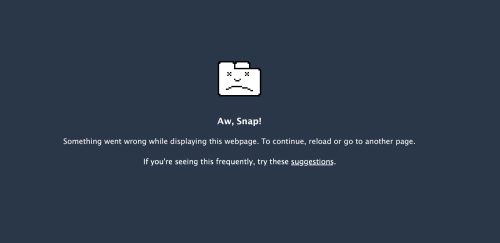
So if you’re being punished with “Aw, Snap!
Something went wrong while displaying this webpage. To continue, reload or go to another page.” Try out Chrome Canary, I’m seeing a drastic reduction, which leads me to believe Google has a fix in the pipeline.
-
-
A Front Ender’s Guide to Getting Started on Mobile Web Development Using Simulators/Emulators
It’s a bit of a misnomer even to differentiate mobile web development from web development in 2015. It’s old news, everyone has a smartphone, and people increasingly use it as their primary way of using the web. Since the bulk of development is done on desktops and will be so for the foreseeable future, as developers, we’re left to pick up the task of testing our websites many configurations. Fortunately, with simulators/emulators, these can be tested with very close precision for the major platforms without investing in the hardware. Once properly configured, these virtual devices are always just a few clicks away.
Both Android and iOS can be simulated on OS X relatively hassle-free. Windows Phone on has more stringent requirements that make it more difficult and cannot be run on older hardware, even when Windows is the native operating system.
I’ve assembled several blog posts I’ve written into a singular guide that’ll get anyone up and running for simulators the three major platforms.
iOS
Tools Needed: OS X, Xcode (Virtual Machine Software for Windows, Linux)
How To Get Started: Using the iOS Simulator in Xcode 6 for web development
Android:
Tools Needed: GenyMotion
How To Get Started: A better Android Simulator for Web Development: GenyMotion
Note: You can use GenyMotion with Google Play to download other popular browsers
Windows Phone:
Tools Needed: Windows 8.1, Visual Studio Express, (Virtual Machine Software for OS X, Linux)
How To Get Started: Setting up Windows Mobile 8.1 for Front End Development
-
Amazingly Bad Developer Job Posting


Earlier today, a blog post entitled, “How not to advertise in London…” began making the rounds on Hacker News. I have a feeling that eventually the linked job posting will be pulled from Google Drive so I’ve taken the liberty of screen capturing it for your viewing pleasure. The tweets have already been deleted so its unlikely the job posting will stay.
All credit goes to http://programmingisterrible.com/ for this find.
Where to even begin?
There’s too many questionable requests: Age, implied sex (Dude can be used for women but its unlikely in this circumstance), 20+ years of programming for someone in their 30s, implying hours well beyond the UK and US’s regular work week, requiring ALL past portfolios, access applicant’s social media, required “hackathons”, impossible career goals (Change the world?) and the simply bizarre like wearing headphones.
This job post reads more like satire as it encompasses everything wrong in the tech industry: Ageism, implicit sexism, long work weeks, unabated and unwarranted self importance.
The best programmers I know are 40+, though reading this posting, I imagine though in Career Harbour, anyone above 30 would be a babysitter.
-
Resolving Adobe After Effects “Quicktime is not installed on this system, some components will not work correctly”

Its been a long time since I’ve used After Effects so imagine the fun when I started to dig in that it wasn’t functioning properly. After a bit of sleuthing on the Adobe forums, a user discover that the problem can be traced to the preferences which isn’t entirely necessary but set me on the right track.
The short of it, really old versions of After Effects may have left some residue that’s mucking up your new install.

First, go to Users/yourusername/Library/Preferences/Adobe (note you may need to enable your Library folder)
Remove any folders by the name of “Adobe QT32 Server”, “Color”, “dynamiclinkmanger” and “dynamiclinkmediaserver”.
Relaunch After Effects.
If you’re experiencing “Cannot create XXXXX.xml”, you may need to right click your Adobe folder in preferences in /yourusername/Library/Preferences/ and change the user permissions (Apply all to closing) to allow Read/Write to the Administrators group and your user name.
-
Amazingly Bad Developer Job Posting
Earlier today, a blog post entitled, “How not to advertise in London…” began making the rounds on Hacker News. I have a feeling that eventually the linked job posting will be pulled from Google Drive so I’ve taken the liberty of screen capturing it for your viewing pleasure. The tweets have already been deleted so its unlikely the job posting will stay.
All credit goes to http://programmingisterrible.com/ for this find.
Where to even begin?
There’s too many questionable requests: Age, implied sex (Dude can be used for women but its unlikely in this circumstance), 20+ years of programming for someone in their 30s, implying hours well beyond the UK and US’s regular work week, requiring ALL past portfolios, access applicant’s social media, required “hackathons”, impossible career goals (Change the world?) and the simply bizarre like wearing headphones.
This job post reads more like satire as it encompasses everything wrong in the tech industry: Ageism, implicit sexism, long work weeks, unabated and unwarranted self importance.
The best programmers I know are 40+, though reading this posting, I imagine though in Career Harbour, anyone above 30 would be a babysitter.
-
Neven Mrgan on Why Skeuomorphism Is Like a Classic Car
Design guru, Neven Mrgan, of Panic Studios and several apps (Blackbar, The Incident, Space Age, Glyphboard, Salt & Fat) with an introspective look at Skeuomorphism.
-
A Front-End Developer’s Guide To Reading Job Postings
Spring has come early in the Northwest, and so has a flood of annoying recruiters. Recruiters aren’t the best for anyone looking for a career, so I’ve taken the liberty of breaking down the phrases I’ve found in some of the job postings. Without further ado, I present a front end developer’s guide to reading job postings!
“Work hard, play hard"
Translation: Workaholic culture is the norm, we’re chained to our desks and when/if set free, we drink ourselves silly to forget the fact we’re over-worked and underpaid.
"Work life integration"
Translation: We have no respect for work/life separation. Expect to work 65 hours a week and a divorce/break up or to remain single. You’re better off serving Lattes for a living.
"Rockstar”
Translation: We have unreasonable expectations in your abilities.
“True Startup”
Translation: Expect mismanagement.
“Excellent benefits”
Translation: Average benefits.
“Highly competitive benefits package”
Translation: Has 401k.
“highly skilled” / “problem solver”
Translation: Personal capable of working unsupervised.
“strong experience”
Translation: Actually did this at your last job.
“motivated”
Translation: Shows up on time to work/meetings.
“Full Stack”
Translation: Unrealistic qualifications at not enough salary.
“kick-ass team”
Translation: Our team, but we think it sounds cooler.
“reinventing”
Translation: Incrementally improving.
“Lean”
Translation: Understaffed.
“gig”
Translation: Job, but we think it sounds cooler.
“fast-paced”
Translation: Dead line oriented.
“world-class”
Translation: Unlikely.
“Quickly build prototypes”
Translation: Use CSS frameworks.
“Work directly”
Translation: Open office floor plan.
“mobile optimization”
Translation: Probably isn’t using resolution independent images yet but would like to.
“UX design principles”
Translation: Not really a UX job.
“highly interactive”
Translation: We miss Flash.
“client-facing”
Translation: Expect phone support with our clients
“responsive design”
Translation: Web design, post 2010.
“Java”
Translation: Not really a front end job.
“disruptive”
Translation: Business as usual.
“end-of-year holiday party”
Translation: Mandatory.
“social web”
Translation: The part where people spam each other things.
“key stakeholders”
Translation: The people who have the money.
“native JavaScript”
Translation: Without JQuery.
“ES6”
Translation: See native javascript.
“learning by doing"
Translation: Shiny new libraries are preferred.
"Scala”
Translation: More than a front end job.
“Ember, Angular, Require"
Translation: 1 in 3 chance of your preferred library.
"Sass, Less, Stylus”
Translation: 1 in 3 chance of your preferred precompiled language.
“location-based”
Translation: Probably PhoneGap.
“HTML5 and CSS3”
Translation: You have “CanIuse” bookmarked.
“Demonstrated Ability…”
Translation: Will be in your job interview.
“wide range of support”
Translation: Usual attention to edge cases
“Semantic HTML” / “DHTML”
Translation: Sounds better than HTML.
“Strong understanding ”
Translation: You have “StackOverflow” bookmarked.
“revolutionizing” / “revolutionary”
Translation: Less than 5 years old.
“insanely driven”
Translation: Reads e-mail before meetings.
“stock options”
Translation: Non-redeemable compensation.
“best practices”
Translation: The design pattern/methodology that the supervising Project Manager read about.
“hackathon”
Translation: A 14-18 hour work day.
“Ping pong table”
Translation: Something you probably won’t use.
“unlimited vacation”
Translation: No Vacation.
"mandatory vacation”
Translation: Good idea.
“profitable"
Translation: We have a business plan.
"stealth mode”
Translation: We do not have a shipping product.
“SEO”
Translation: 2008 Mindset.
“design-minded”
Translation: Photoshop and Illustrator proficient.
“cross-browser”
Translation: Expect to support Internet Explorer 8.
“cross-platform”
Translation: Expect to support Windows Mobile 8.
“Internet of Things”
Translation: Job description was written by HR
-
Opera Blog vs Typography on the Web
Note to self: Start reading Opera’s Blog regularly. Two blog posts later, and I’ve attained enlightenment.
Check the excerpts.
Not all browsers hide text while downloading web fonts. For example Internet Explorer always renders text in a fallback font while it is downloading fonts. This has been dubbed the Flash Of Unstyled Text (FOUT). This misnomer. FOUT is a feature and a condition everyone should anticipate and design for. Selecting and testing fallback fonts is an important task while designing and building a site. - The State of Web Type, Dev.Opera
What happens when you slap a fancy new
@font-facecustom web font into your CSS? As it turns out—not much. Just including a@font-faceblock doesn’t actually initiate a download of the remote font file from the server in almost all browsers (except IE8). - Better @font-face with Font Load Events, Dev.OperaThe second article gets crazy quick, using JS to management fallback fonts for newer browsers. Some seriously awesome stuff….